Experiments
I Generated 50,000 AI Clipart Images and Gave Them Away for Free. Google Didn't Care.
Built an AI pipeline, mass-generated clipart, manually reviewed every single one, launched a free download site. Six months later, Google still won't index it.
The store was making money. That’s the part that makes this story stupid.
I had an Etsy shop selling digital clipart — the kind of thing crafters, teachers, and small business owners buy for invitations, planners, stickers, social media posts. Before AI image generation was a thing, I was creating these by hand. Tedious, but they sold. Then Midjourney happened, and suddenly I could produce in an afternoon what used to take me weeks. Sales went up. Quality went up. Life was good.
So naturally, I decided to take a profitable product and give it away for free on the internet.
This is that story.
The Etsy Era: When Things Actually Worked
Let me back up. The clipart business on Etsy was real. Not life-changing money, but real. I was selling bundles of themed clipart — think seasonal illustrations, watercolor-style florals, cute animals, holiday sets — as instant digital downloads. No shipping, no inventory, no physical anything. A customer buys, they get a ZIP file, everybody’s happy.
When AI image generation tools started getting good in late 2022 and early 2023, I jumped in immediately. I was already making clipart — now I had a machine that could help me make it ten times faster.
The workflow looked like this:
- Generate base images using Midjourney (later Stable Diffusion locally)
- Run them through background removal tools
- Clean up edges, adjust colors, organize into themed bundles
- List on Etsy with keyword-optimized titles and descriptions
- Repeat
# Typical image processing pipeline (simplified)
# Generate images with SD → Remove backgrounds → Optimize for web

# Background removal using rembg
pip install rembg
rembg i input_image.png output_image.png

# Batch process a directory
for f in ./raw/*.png; do
  rembg i "$f" "./transparent/$(basename $f)"
done

# Optimize file sizes with pngquant
pngquant --quality=65-80 --ext .png --force ./transparent/*.png
It worked embarrassingly well. The images were good — not hand-painted-by-a-professional good, but absolutely good enough for someone making birthday invitations or classroom worksheets. And at the prices digital downloads sell for on Etsy ($3–$8 per bundle), the margins were essentially 100% minus Etsy’s cut.
Peak performance numbers:
- Revenue: $400–600/month (after Etsy fees)
- Listings: ~200 active bundles
- Average order: $4.50
- Time investment: Maybe 8–10 hours/week at peak
- Production cost: Essentially zero after the initial tool setup
Not retirement money. But for a side project that mostly ran itself? Pretty solid.
The Problem With Success on Etsy
Here’s what nobody tells you about selling digital downloads on Etsy: the customer service will slowly eat your life.
The products are digital. There’s nothing to ship. You’d think support would be minimal. You would be wrong.
“The volume of questions scales linearly with sales, but the annoyance scales exponentially.” — Me, at 11pm on a Tuesday, answering my 15th message about how to unzip a file
Every single day, I had messages. Not complaints — I want to be clear about this. The customers were genuinely nice people. Almost universally polite and appreciative. But they had questions:
- “How do I download my files?”
- “Can you make this set in blue instead of pink?”
- “The PNG won’t open on my phone, can you help?”
- “I accidentally purchased twice, can I get a refund?”
- “Can you make a custom set of llamas wearing party hats?” (yes, this was a real request)
And here’s the kicker: Etsy’s Star Seller program requires you to respond to messages within 24 hours. Miss that window and your badge is at risk. Lose the badge and your search ranking drops. So every morning started with checking Etsy messages. Every evening ended with checking Etsy messages. Weekends? Checking messages.
I was making money, but I was also on a 24/7 leash.
Then the competition showed up.
The Race to the Bottom
By mid-2023, every person with a Midjourney subscription had the same idea I did. The Etsy clipart market went from moderately competitive to absolutely flooded. Shops started appearing with 5,000, 10,000, 20,000 listings — entire catalogs generated in bulk and listed at rock-bottom prices.
Bundles I was selling for $5 were now competing with similar-quality bundles at $1.50. Some sellers were running perpetual 50%-off sales, bringing prices to pennies. The search results were a wall of AI-generated clipart, all of it adequate, none of it special.
The market dynamics in one chart:
Etsy AI Clipart Market — 2023 Timeline
═══════════════════════════════════════

Q1 2023: ██████░░░░░░░░░░░░░░  ~500 AI clipart shops
Q2 2023: ██████████░░░░░░░░░░  ~2,000 AI clipart shops
Q3 2023: ██████████████░░░░░░  ~8,000 AI clipart shops
Q4 2023: ██████████████████░░  ~15,000+ AI clipart shops

Average bundle price:
Q1: $4.50  →  Q2: $3.80  →  Q3: $2.50  →  Q4: $1.80
I had two choices:
Option A: Race to the bottom. Drop my prices, 10x my listings, become a volume machine.
Option B: Something else.
I chose something else. But first, I accidentally discovered something interesting.
The Pricing Paradox
Out of frustration more than strategy, I raised my prices. Not by a little — I roughly doubled them. My logic was simple: if I’m going to lose sales to cheap competition anyway, I might as well make more per sale. If sales dropped to zero, at least I’d get my evenings back.
What actually happened surprised me.
Sales dropped — but not to zero. They dropped from maybe 80–100 transactions a month to around 10–20. But because the prices were higher, the revenue barely changed. I went from ~$500/month at 90 transactions to ~$350–400/month at 15 transactions.
And the customer service messages? They practically vanished.
Revenue vs. Volume — Before and After Price Increase
═══════════════════════════════════════════════════════

BEFORE (high volume, low price):
  Transactions:  ████████████████████ 90/mo
  Revenue:       ██████████████████░░ ~$500/mo
  Messages:      ████████████████████ 40+/mo
  Time spent:    ████████████████░░░░ 10 hrs/week

AFTER (low volume, high price):
  Transactions:  ████░░░░░░░░░░░░░░░░ 15/mo
  Revenue:       ███████████████░░░░░ ~$380/mo
  Messages:      ██░░░░░░░░░░░░░░░░░░ 3-5/mo
  Time spent:    ██░░░░░░░░░░░░░░░░░░ 1 hr/week
80% less work for 75% of the revenue. The support burden dropped to almost nothing. I checked messages once a day instead of five times. The store effectively ran itself.
“The goal of business is not to maximize revenue. It’s to maximize the revenue you actually get to enjoy.” — I don’t know who said this first, but I wish I’d heard it sooner.
This is the setup. The stores are still running today. Still making roughly the same. Still requiring almost no attention. A perfectly fine small income stream.
So what did I do? I took the one thing that was working and decided to do something completely different with it.
The Big Idea: Free Clipart, Monetized by Ads
The logic went like this:
- I know how to generate high-quality clipart at scale
- Etsy is getting saturated and I’m tired of the platform
- Free content sites can make money through ads (Google AdSense, Mediavine, etc.)
- Nobody’s doing a really good free AI clipart library
- If I can rank on Google, the traffic numbers would dwarf anything Etsy sends me
- Therefore: build a site, give away clipart for free, monetize with ads
On paper, it made sense. In practice, it made sense too. The problem was somewhere else entirely, and I didn’t see it coming.
Building the Machine
First, I needed to generate clipart at scale. Not dozens — thousands. Tens of thousands. If I was going to compete with stock image sites, I needed serious volume. My target was 50,000 images across every category I could think of.
I already had a decent desktop with an NVIDIA GPU (12GB VRAM — a 3060 Ti). Good enough for running Stable Diffusion locally without depending on cloud APIs or subscription services.
The hardware setup:
- GPU: NVIDIA RTX 3060 Ti (12GB VRAM)
- CPU: AMD Ryzen 7
- RAM: 32GB
- Storage: 2TB NVMe for generation, AWS S3 for hosting
I spent about two weeks testing different models and configurations. What I needed was specific: clipart-style images with clean edges and transparent backgrounds. Most Stable Diffusion models generate photorealistic or artistic images — I needed flat, vector-ish, illustration-style output.
# Simplified generation pipeline using Stable Diffusion
# with a fine-tuned model optimized for clipart-style output

from diffusers import StableDiffusionPipeline
import torch

pipe = StableDiffusionPipeline.from_pretrained(
    "stabilityai/stable-diffusion-xl-base-1.0",
    torch_dtype=torch.float16,
    variant="fp16"
)
pipe = pipe.to("cuda")

# Clipart-optimized prompt template
def generate_clipart(subject, style="flat vector"):
    prompt = (
        f"{subject}, {style} clipart illustration, "
        f"clean lines, solid colors, white background, "
        f"centered composition, high quality, no shadows, "
        f"digital illustration, isolated object"
    )
    negative_prompt = (
        "photorealistic, 3d render, photograph, blurry, "
        "gradient background, complex background, watermark, "
        "text, signature, low quality"
    )

    image = pipe(
        prompt=prompt,
        negative_prompt=negative_prompt,
        num_inference_steps=30,
        guidance_scale=7.5,
        width=1024,
        height=1024,
    ).images[0]

    return image

# Batch generation for a category
subjects = [
    "red apple", "yellow banana", "bunch of grapes",
    "sliced watermelon", "orange", "strawberry",
    # ... hundreds more per category
]

for subject in subjects:
    img = generate_clipart(subject)
    img.save(f"./output/{subject.replace(' ', '_')}.png")
After generation, every image went through automated background removal and quality filtering:
#!/bin/bash
# Post-processing pipeline

INPUT_DIR="./output"
CLEAN_DIR="./transparent"
FINAL_DIR="./optimized"

mkdir -p "$CLEAN_DIR" "$FINAL_DIR"

# Step 1: Remove backgrounds
for f in "$INPUT_DIR"/*.png; do
    filename=$(basename "$f")
    rembg i "$f" "$CLEAN_DIR/$filename"
done

# Step 2: Trim whitespace and center
for f in "$CLEAN_DIR"/*.png; do
    filename=$(basename "$f")
    convert "$f" -trim +repage -gravity center \
        -background none -extent 1024x1024 \
        "$FINAL_DIR/$filename"
done

# Step 3: Optimize file sizes
pngquant --quality=70-85 --ext .png --force "$FINAL_DIR"/*.png

echo "Processed $(ls $FINAL_DIR | wc -l) images"
The generation itself ran for about three to four weeks. Not three to four weeks of my time — three to four weeks of the computer running nearly nonstop, fans screaming, GPU at 100%, my office sounding like a small data center. I’d queue up batches before bed, wake up to thousands of new images, queue up more batches, go to work, come home to thousands more.
But generating the images was the easy part. The hard part was what came next.
The Review Nightmare Nobody Warns You About
Here’s something that every AI image generation tutorial conveniently skips: you have to look at every single image.
Stable Diffusion in 2023–2024 was good, but it wasn’t reliable. Out of every batch of 100 images, maybe 60–70 were usable. The rest? A horror show.
Hands were the classic problem — everyone jokes about AI hands, but when you’re reviewing thousands of images of people, animals, and characters, it stops being funny fast. Seven fingers. Three legs on a dog. A chef with one hand that seamlessly merges into a spatula. A child’s birthday party illustration where one kid appears to have an elbow where no elbow should be.
Here are actual examples from my reject pile, so you know I’m not exaggerating:

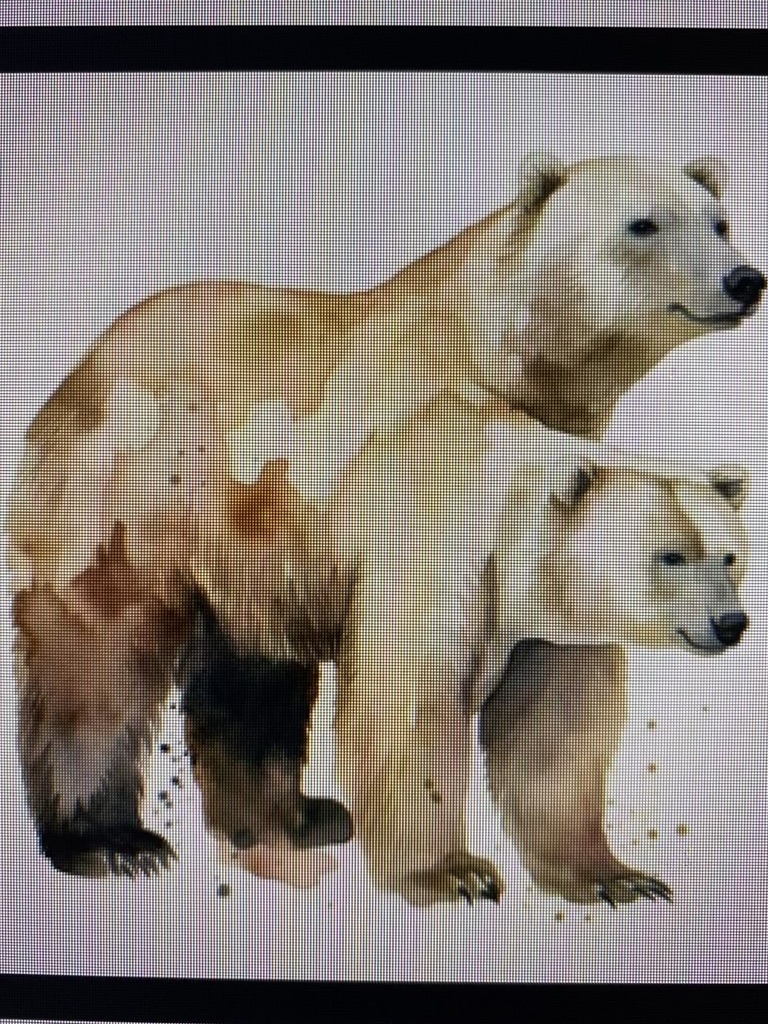
These are the ones that look almost right — which makes them harder to catch. At thumbnail size in a review grid, your brain fills in the gaps and says “looks fine.” You have to actually zoom in, and when you’re doing that 75,000 times, the quality of your attention degrades fast.
And then there was the NSFW problem. Even with negative prompts specifically designed to prevent it, the model would occasionally generate something inappropriate. Nothing extreme, but enough that you absolutely could not ship these images to a free download site without reviewing every single one. One inappropriate image on a site aimed at teachers and crafters and the whole thing is dead.
I built a review workflow — a simple local web interface that would display images in grids of 50–100 at a time. Click to reject, spacebar to advance. It sounds efficient. It was not.
# Simplified review interface — Flask app for batch image QA
# Displayed images in a grid, click to flag for deletion

from flask import Flask, render_template, jsonify, request
import os
import shutil

app = Flask(__name__)
IMAGE_DIR = "./pending_review"
APPROVED_DIR = "./approved"
REJECTED_DIR = "./rejected"

@app.route("/review")
def review_batch():
    images = os.listdir(IMAGE_DIR)[:100]  # Load 100 at a time
    return render_template("grid.html", images=images)

@app.route("/reject", methods=["POST"])
def reject_image():
    filename = request.json["filename"]
    shutil.move(
        os.path.join(IMAGE_DIR, filename),
        os.path.join(REJECTED_DIR, filename)
    )
    return jsonify({"status": "rejected"})

@app.route("/approve-remaining", methods=["POST"])
def approve_batch():
    """Move all non-rejected images from current batch to approved"""
    for f in os.listdir(IMAGE_DIR)[:100]:
        shutil.move(
            os.path.join(IMAGE_DIR, f),
            os.path.join(APPROVED_DIR, f)
        )
    return jsonify({"status": "batch_approved"})
The review numbers were brutal:
Image Generation & QA Pipeline — Final Stats
═════════════════════════════════════════════

Total images generated:        ~75,000
Rejected (artifacts/quality):  ~15,000  (20%)
Rejected (anatomical horrors): ~6,000   (8%)
Rejected (NSFW/inappropriate): ~2,500   (3%)
Rejected (duplicates/boring):  ~1,500   (2%)
Final approved images:         ~50,000

Review sessions:               ~60-70 sessions
Images per session:            ~500-1,000
Time per session:              45-90 minutes
Total review time:             ~80+ hours
Eye strain level:              Catastrophic
Eighty hours of staring at clipart. I started seeing cartoon vegetables when I closed my eyes. My ophthalmologist would have been concerned if I’d told her, which I did not.
The rejection rate might look manageable at 33%, but here’s the thing — you can’t just glance at them. You have to actually look. Is that cat’s tail connected properly? Does that flower have a weird artifact in the petals? Is that person’s face uncanny-valley enough to be disturbing? Each decision takes a second or two, but multiply that by 75,000 images and you’ve lost weeks of your life to quality control.
“Automation is great until you realize you’ve automated the production of problems that require manual solutions.” — Every person who has ever batch-generated AI images
After about a month of generation and review combined, I had roughly 50,000 approved clipart images organized into categories: animals, food, holidays, nature, school supplies, vehicles, professions, sports — you name it.
The quality of the approved set was genuinely good. Transparent backgrounds, clean edges, consistent style across categories. Not quite as polished as premium stock clipart, but easily as good as what was selling for $2 a bundle on Etsy. The rejected pile, however, could fuel nightmares for weeks.
Building the Site
For the website, I went with Hugo — a static site generator. The logic was simple: I needed to display thousands of images with category pages, search functionality, and individual download pages. No server-side processing, no user accounts, no payment system. Just images and download buttons.
# hugo.toml — site configuration
baseURL = "https://example.com/"
languageCode = "en-us"
title = "Free Clipart Library"

[params]
  description = "Download free high-quality clipart with transparent backgrounds"
  imagesPerPage = 48

[outputs]
  home = ["HTML", "RSS", "JSON"]

[taxonomies]
  category = "categories"
  tag = "tags"
  style = "styles"
Each image got its own page with:
- A large preview
- Download button (full resolution PNG with transparency)
- Category and tag links
- Related images
- Basic SEO meta (title, description, alt text)
The images themselves were too heavy to host alongside the Hugo build. At full resolution, 50,000 PNGs with transparency came to about 200GB. I pushed them to AWS S3 and served them through CloudFront.
# Sync optimized images to S3
aws s3 sync ./optimized/ s3://my-clipart-bucket/images/ \
    --acl public-read \
    --cache-control "max-age=31536000" \
    --content-type "image/png"

# Monthly cost estimate at this scale:
# S3 storage (200GB): ~$4.60/month
# CloudFront bandwidth: depends on traffic
# Total at low traffic: ~$8-15/month
# Total at high traffic: could be $100-200+/month
The site was clean. Fast. Every image had a proper page with metadata, descriptive titles, category organization. I generated thumbnails for the listing pages and served full-resolution files only on download. The whole thing built in about 90 seconds with Hugo.
I was proud of it. It looked professional. The images were good. The UX was straightforward.
I deployed it, submitted the sitemap to Google Search Console, and waited.
The Wait
Month one: nothing. Expected. Google takes time to crawl and index new sites. The sitemap was submitted, the robots.txt was clean, everything looked correct in Search Console.
Month two: Bing picked it up. I started seeing some traffic — maybe 20–30 visits a day from Bing. Not much, but a signal. People were finding the images, downloading them. The content was working for actual users.
Google? Still nothing. The homepage was indexed. Maybe 5–10 other pages. Out of 50,000+ pages on the site.
Month three: I started digging into the problem. Search Console was showing thousands of pages as “Discovered – currently not indexed” and “Crawled – currently not indexed.” Google knew the pages existed. It had visited some of them. It just… decided not to index them.
Google Search Console — Index Coverage Report (Month 3)
═══════════════════════════════════════════════════════

Total pages submitted:       52,341
Pages indexed:                   23  (0.04%)
Discovered, not indexed:     38,112
Crawled, not indexed:        12,947
Excluded by noindex:              0
Blocked by robots.txt:            0

Bing Webmaster Tools:
Total pages indexed:         19,500+ (37%)
Daily traffic from Bing:      25-40 visits
That was the moment I realized I might have a serious problem.
Month four through six: I tried everything. I added more text content to each page. I built internal links between related images. I submitted individual URLs for indexing through Search Console. I wrote blog posts about clipart usage to give the site more “real” content.
Nothing moved the needle. Google would crawl a few hundred pages, then stop. The indexed count crept up to maybe 50–60 pages out of over 52,000. Bing, meanwhile, had indexed close to 20,000 pages and was sending consistent (if modest) traffic.
What Went Wrong: The Post-Mortem
Sitting here now with the benefit of hindsight, I can see several things that went wrong. Some were predictable, some weren’t.
1. The Thin Content Problem
This is probably the biggest one. Each image page had a title, a few descriptive sentences, category tags, and a download button. That’s it. From Google’s perspective, these were thin content pages — thousands of them, all following the same template, each with maybe 50–100 words of unique text.
“Google doesn’t penalize thin content — it just ignores it. Which, functionally, is the same thing.” — A webmaster forum post that hit harder than it should have
In the age of Google’s Helpful Content Update, a site with 50,000+ pages of minimal text and one image each probably looked exactly like the kind of low-effort content farm they were trying to suppress. It didn’t matter that the images were actually useful. The page-level content signal was weak.
2. AI Content at the Worst Possible Time
I launched this site right in the middle of Google’s crackdown on AI-generated content. The timing couldn’t have been worse. While Google says they don’t penalize AI content per se, they absolutely penalize content that doesn’t demonstrate “experience, expertise, authoritativeness, and trustworthiness” (E-E-A-T). A brand-new domain with 50,000+ auto-generated image pages and minimal text? That’s the E-E-A-T nightmare scenario.
3. New Domain, No Authority
The site was on a fresh domain with zero backlinks, zero domain authority, zero history. I was asking Google to trust a brand-new site with 50,000+ pages from day one. That’s a red flag in any context, but especially for a site that looks like it could be auto-generated (because, well, it kind of was).
4. The Scale Worked Against Me
Counterintuitively, having 50,000 images might have been worse than having 500. Google’s crawl budget is finite. When the crawler sees thousands of similar-looking pages and decides the first few hundred aren’t worth indexing, it’s unlikely to keep going deeper. A smaller, more curated collection might have gotten fully indexed and then grown organically.
5. AWS Storage Costs as a Ticking Clock
While the site sat un-indexed on Google, the AWS bill kept coming. Not huge — maybe $5–8/month at low traffic levels — but it was a monthly reminder that this experiment had ongoing costs with no revenue to offset them. It’s not the amount that matters; it’s the psychology of paying for something that isn’t working.
Cost analysis over 6 months:
═══════════════════════════

Domain registration:     $12/year ($1/month)
AWS S3 storage:          $8-15/month
CloudFront bandwidth:    $3-8/month (low traffic from Bing only)
Electricity (GPU):       Hard to isolate, ~$50 total for 4 weeks of generation
Time invested:           ~250 hours (generation, QA review, site build)

Total cash outlay:       ~$100-120
Total time investment:   250+ hours (80+ just reviewing images)
Total revenue:           $0

Meanwhile, the Etsy stores I "moved on from":
Revenue over same period: ~$2,200
Time investment:          ~24 hours (checking messages occasionally)
The math hurts.
What I Should Have Done Differently
Started Small, Validated, Then Scaled
Instead of generating 50,000 images and building the whole site at once, I should have started with 200–300 images in one category, launched, and waited to see if Google would index them. If the first 300 pages got indexed and started ranking, then scale up. If not, pivot before investing 250 hours and my retinal health.
Built More Content Around the Images
Each image page needed more than a download button. Tutorial content (“How to use this clipart in Canva”), use case suggestions, related keyword content — anything to make the page substantively useful to a human visitor, not just an image-plus-metadata stub.
Diversified Away From Google Immediately
Pinterest. That’s the answer I keep coming back to. Clipart is inherently visual content. Pinterest is a visual search engine that actually wants to index images. I should have built a Pinterest strategy from day one instead of betting everything on Google organic search.
Considered a Marketplace Model Instead of Free
“Free” sounds like a competitive advantage, but it’s actually a business model problem. Free means you need massive traffic to monetize through ads. Massive traffic means you need SEO. SEO on a new domain with AI-generated content is, as we’ve established, not great.
A low-cost marketplace ($1–$2 per bundle, like the Etsy competitors) with a small free tier would have been more sustainable. You only need a few hundred customers at $2 each to cover costs and prove the model.
Not Abandoned the Thing That Was Working
The Etsy stores were fine. They were making money. They required minimal attention after the price increase. The right play might have been to just… keep doing that and appreciate it for what it was.
“The grass is always greener on the side you haven’t spent 250 hours building infrastructure for.” — Nobody has said this, but they should.
Where It Stands Today
The free clipart site is still live. Bing sends 20–30 visitors a day. Google has indexed about 60 pages out of 52,000. The AWS bill is about $12/month. I haven’t touched it in months.
The Etsy stores are also still live. Still getting 10–20 sales a month at the higher prices. Still requiring almost no attention. Still making more money than the “free” site ever will.
I haven’t formally killed the free site. Part of me thinks that if I invested in Pinterest distribution or added substantial content to each page, it could work. But the honest answer is that I’ve moved on to other experiments, and the energy required to revive this one probably isn’t justified by the potential return.
Final tally:
- Time invested: 250+ hours (80 of which were just reviewing images for quality)
- Cash invested: ~$110
- Revenue generated: $0
- Lessons learned: Priceless (I’m told)
- Etsy stores I should have just kept quietly running: Yes
Key Takeaways
- A free site still needs a distribution strategy. “Build it and they will come” doesn’t work when Google won’t index your pages.
- Thin content at scale is worse than rich content at small scale. 500 well-built pages will outperform 50,000 image-and-a-button pages every time.
- Timing matters with Google. Launching a site with AI-generated content during Google’s AI content crackdown was bad luck, but also foreseeable.
- Don’t abandon what’s working to chase what might work. The Etsy stores were generating revenue. The free site was a bet that didn’t pay off.
- The accidental pricing discovery (raising prices = less work, similar revenue) was worth more than the entire free site experiment. Sometimes the real insight is hiding in the thing you’re trying to move away from.
- Pinterest exists. For visual content, it’s probably a better bet than Google. I wish I’d realized this six months earlier.
FAQ
How much does it cost to run an AI image generation setup locally?
The main cost is the GPU. A used NVIDIA RTX 3060 Ti (12GB) runs about $250–300. You need a decent CPU and 32GB RAM, but if you already have a desktop, you might just need the GPU. Electricity costs during generation are measurable but not huge — maybe $40–50 for a month of heavy generation. After that, there are no ongoing costs for generation itself. The ongoing costs are hosting (S3, CloudFront) and the domain. But the real cost nobody talks about is the manual QA time. At scale, you’ll spend more hours reviewing and rejecting bad images than you spent setting up the pipeline. Budget for that.
Why did Google refuse to index the site?
Most likely a combination of factors: brand-new domain with zero authority, thousands of thin content pages (image + short description), AI-generated content during a period when Google was actively devaluing such content, and no backlinks or external signals. Google doesn’t formally penalize in this scenario — it just deprioritizes. When you have zero domain authority and thin pages, “deprioritize” effectively means “ignore.”
Why did Bing index the site but Google didn’t?
Bing and Google use different crawling and indexing strategies. Bing tends to be more aggressive about indexing new content and less discriminating about page quality thresholds. Bing also doesn’t have an equivalent to Google’s Helpful Content Update, which specifically targets sites with large amounts of low-value content. For this particular type of site — high volume, low text, new domain — Bing was significantly more welcoming.
Is selling clipart on Etsy still profitable in 2025–2026?
It can be, but the market is much more competitive than it was in 2022–2023. The key insight from my experience: fewer listings at higher prices can generate similar revenue with much less customer service overhead. The sellers who are thriving tend to have either (a) a distinctive style that AI can’t easily replicate, (b) very high volume with rock-bottom prices, or (c) strong branding and repeat customers. The middle ground — decent quality at moderate prices — is the hardest place to compete.
Would you try the free clipart site again with a different approach?
If I did it again, I’d make three changes: (1) start with 300–500 images instead of 50,000, (2) build each page with substantial content (tutorials, use cases, 500+ words), and (3) invest heavily in Pinterest from day one instead of depending on Google. I’d also consider a freemium model — free low-resolution downloads with a $2–3 option for high-resolution bundles. But honestly, I’d probably just focus on the Etsy stores. They work. Sometimes the boring answer is the right one.
How do you generate clipart with transparent backgrounds using AI?
The pipeline has two steps. First, generate the image using Stable Diffusion (or a similar model) with prompts optimized for flat, illustration-style output on a white or solid background. Second, run the image through a background removal tool like rembg (a Python library that uses machine learning to identify and remove backgrounds). The results aren’t perfect — you’ll occasionally get artifacts around complex edges — but for clipart-style images with clean lines, it works surprisingly well. The whole pipeline can be automated with a bash script that processes hundreds of images unattended.